Using Custom DataBuilder in SecretFlow (Torch)#
The following codes are demos only. It’s NOT for production due to system security concerns, please DO NOT use it directly in production.
This tutorial will demonstrate how to use the custom DataBuilder mode to load data and train models in the multi-party secure environment of SecretFlow.
The tutorial will use the image classification task of the Flower dataset to illustrate how to utilize the custom DataBuilder for federated learning in SecretFlow.
Environment Setup#
[1]:
%load_ext autoreload
%autoreload 2
[2]:
import secretflow as sf

# Check the version of your SecretFlow
print('The version of SecretFlow: {}'.format(sf.__version__))

# In case you have a running secretflow runtime already.
sf.shutdown()
sf.init(['alice', 'bob', 'charlie'], address="local", log_to_driver=False)
alice, bob, charlie = sf.PYU('alice'), sf.PYU('bob'), sf.PYU('charlie')
2023-04-17 15:14:51,955 INFO worker.py:1538 -- Started a local Ray instance.
Interface Introduction#
In SecretFlow, we have supported the ability to customize the DataBuilder for reading in the FLModel. This allows users to handle data input more flexibly according to their specific requirements.
Below, we provide an example to demonstrate how to use the custom DataBuilder for federated model training.
Steps for using DataBuilder:
Develop the DataBuilder function for constructing the DataLoader under the PyTorch engine in the single-machine version. Note: The dataset_builder function requires the ‘stage’ parameter.
Wrap the DataBuilder functions of each party to obtain create_dataset_builder.
Construct data_builder_dict [PYU, dataset_builder].
Pass the obtained data_builder_dict as an argument to the
dataset_builderin thefitfunction. At this point, provide the required input to the dataset_builder in thexparameter position. (For example, in this case, the input provided is the actual image paths used).
In FLModel, using DataBuilder requires predefining a databuilder dictionary, which needs to be able to return tf.dataset and steps_per_epoch. Moreover, the steps_per_epoch returned by each party must remain consistent.
data_builder_dict =
        {
            alice: create_alice_dataset_builder(
                batch_size=32,
            ), # create_alice_dataset_builder must return (Dataset, steps_per_epoch)
            bob: create_bob_dataset_builder(
                batch_size=32,
            ), # create_bob_dataset_builder must return (Dataset, steps_per_epochstep_per_epochs)
        }
Download Data#
Introduction to the Flower Dataset: The Flower dataset is a collection of 4323 color images containing 5 different types of flowers(namely, tulips, daffodils, irises, lilies, and sunflowers). Each flower category comprises multiple images captured from various angles and under different lighting conditions. The resolution of each image is 320x240. This dataset is commonly used for image classification and training/testing machine learning algorithms. The number of samples in each category is as follows: daisies (633), dandelions (898), roses (641), sunflowers (699), and tulips (852).
Download link:http://download.tensorflow.org/example_images/flower_photos.tgz
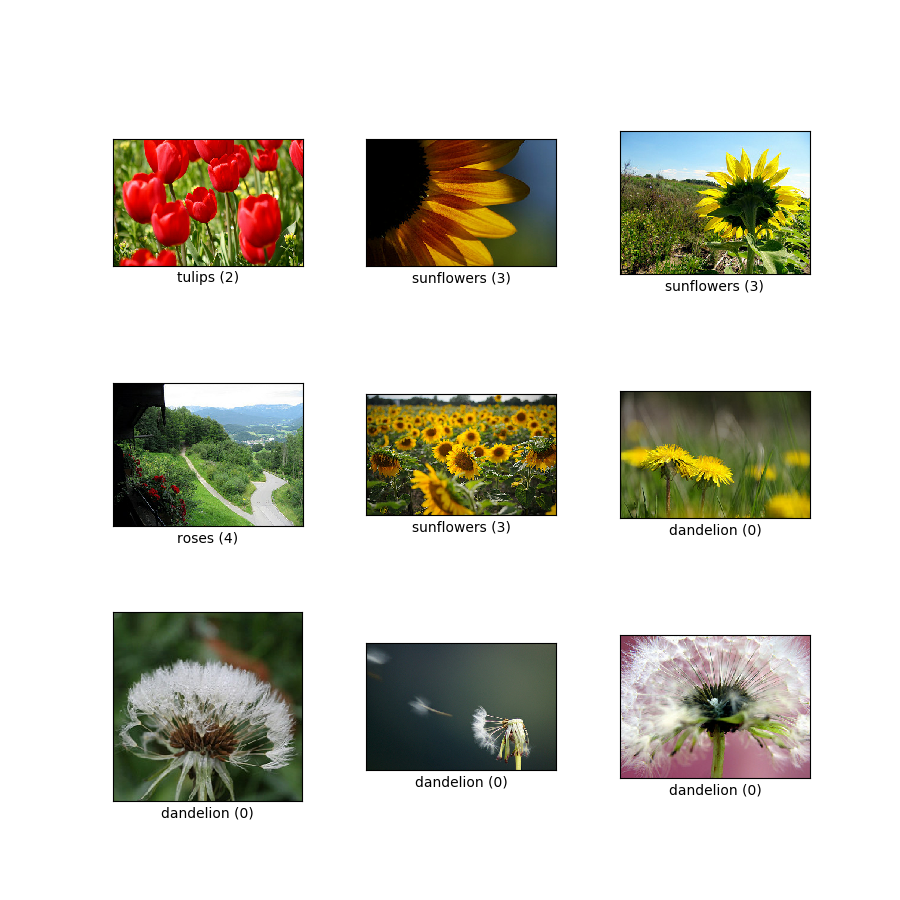
Download data and extract#
[3]:
# The TensorFlow interface is reused to download images , and the output is a folder, as shown in the following figure.
import tempfile
import tensorflow as tf

_temp_dir = tempfile.mkdtemp()
path_to_flower_dataset = tf.keras.utils.get_file(
    "flower_photos",
    "https://secretflow-data.oss-accelerate.aliyuncs.com/datasets/tf_flowers/flower_photos.tgz",
    untar=True,
    cache_dir=_temp_dir,
)
Downloading data from https://secretflow-data.oss-accelerate.aliyuncs.com/datasets/tf_flowers/flower_photos.tgz
67588319/67588319 [==============================] - 1s 0us/step
Next, we proceed to construct a custom DataBuilder.#
1. Develop DataBuilder using a single-machine engine.#
In the development of the DataBuilder, we are free to follow the logic of single-machine development. The objective is to construct a Dataloader object in Torch.
[4]:
import math

import numpy as np
from torch.utils.data import DataLoader
from torch.utils.data.sampler import SubsetRandomSampler
from torchvision import datasets, transforms

# parameter
batch_size = 32
shuffle = True
random_seed = 1234
train_split = 0.8

# Define dataset
flower_transform = transforms.Compose(
    [
        transforms.Resize((180, 180)),
        transforms.ToTensor(),
    ]
)
flower_dataset = datasets.ImageFolder(
    path_to_flower_dataset, transform=flower_transform
)
dataset_size = len(flower_dataset)
# Define sampler

indices = list(range(dataset_size))
if shuffle:
    np.random.seed(random_seed)
    np.random.shuffle(indices)
split = int(np.floor(train_split * dataset_size))
train_indices, val_indices = indices[:split], indices[split:]
train_sampler = SubsetRandomSampler(train_indices)
valid_sampler = SubsetRandomSampler(val_indices)

# Define databuilder
train_loader = DataLoader(flower_dataset, batch_size=batch_size, sampler=train_sampler)
valid_loader = DataLoader(flower_dataset, batch_size=batch_size, sampler=valid_sampler)
[5]:
x, y = next(iter(train_loader))
print(f"x.shape = {x.shape}")
print(f"y.shape = {y.shape}")
x.shape = torch.Size([32, 3, 180, 180])
y.shape = torch.Size([32])
2. Wrap the developed DataBuilder.#
The DataBuilder we have developed needs to be distributed and executed on various computing machines during runtime. To facilitate serialization, we need to wrap them.
It is essential to consider the following points:
FLModel requires that the input to DataBuilder must include the stage parameter (stage=“train”).
FLModel requires that the passed DataBuilder must return two results, namely,
data_setandsteps_per_epoch.
[6]:
def create_dataset_builder(
    batch_size=32,
    train_split=0.8,
    shuffle=True,
    random_seed=1234,
):
    def dataset_builder(x, stage="train"):
        """ """
        import math

        import numpy as np
        from torch.utils.data import DataLoader
        from torch.utils.data.sampler import SubsetRandomSampler
        from torchvision import datasets, transforms

        # Define dataset
        flower_transform = transforms.Compose(
            [
                transforms.Resize((180, 180)),
                transforms.ToTensor(),
            ]
        )
        flower_dataset = datasets.ImageFolder(x, transform=flower_transform)
        dataset_size = len(flower_dataset)
        # Define sampler

        indices = list(range(dataset_size))
        if shuffle:
            np.random.seed(random_seed)
            np.random.shuffle(indices)
        split = int(np.floor(train_split * dataset_size))
        train_indices, val_indices = indices[:split], indices[split:]
        train_sampler = SubsetRandomSampler(train_indices)
        valid_sampler = SubsetRandomSampler(val_indices)

        # Define databuilder
        train_loader = DataLoader(
            flower_dataset, batch_size=batch_size, sampler=train_sampler
        )
        valid_loader = DataLoader(
            flower_dataset, batch_size=batch_size, sampler=valid_sampler
        )

        # Return
        if stage == "train":
            train_step_per_epoch = math.ceil(split / batch_size)

            return train_loader, train_step_per_epoch
        elif stage == "eval":
            eval_step_per_epoch = math.ceil((dataset_size - split) / batch_size)
            return valid_loader, eval_step_per_epoch

    return dataset_builder
3. Construct the dataset_builder_dict.#
[7]:
# prepare dataset dict
data_builder_dict = {
    alice: create_dataset_builder(
        batch_size=32,
        train_split=0.8,
        shuffle=False,
        random_seed=1234,
    ),
    bob: create_dataset_builder(
        batch_size=32,
        train_split=0.8,
        shuffle=False,
        random_seed=1234,
    ),
}
4. Once we obtain the dataset_builder_dict, we can proceed with federated training using it.#
Next, we define a FLModel with a Torch backend for training.
Define the Model Architecture#
[8]:
from secretflow.ml.nn.utils import BaseModule


class ConvRGBNet(BaseModule):
    def __init__(self, *args, **kwargs) -> None:
        super().__init__(*args, **kwargs)
        self.network = nn.Sequential(
            nn.Conv2d(
                in_channels=3, out_channels=16, kernel_size=3, stride=1, padding=1
            ),
            nn.ReLU(),
            nn.MaxPool2d(2, 2),
            nn.Conv2d(16, 16, kernel_size=3, stride=1, padding=1),
            nn.ReLU(),
            nn.MaxPool2d(2, 2),
            nn.Flatten(),
            nn.Linear(16 * 45 * 45, 128),
            nn.ReLU(),
            nn.Linear(128, 5),
        )

    def forward(self, xb):
        return self.network(xb)
[9]:
from secretflow.ml.nn import FLModel
from secretflow.security.aggregation import SecureAggregator
from torch import nn, optim
from torchmetrics import Accuracy, Precision
from secretflow.ml.nn.fl.utils import metric_wrapper, optim_wrapper
from secretflow.ml.nn.utils import TorchModel
[10]:
device_list = [alice, bob]
aggregator = SecureAggregator(charlie, [alice, bob])
# prepare model
num_classes = 5

input_shape = (180, 180, 3)
# torch model
loss_fn = nn.CrossEntropyLoss
optim_fn = optim_wrapper(optim.Adam, lr=1e-3)
model_def = TorchModel(
    model_fn=ConvRGBNet,
    loss_fn=loss_fn,
    optim_fn=optim_fn,
    metrics=[
        metric_wrapper(
            Accuracy, task="multiclass", num_classes=num_classes, average='micro'
        ),
        metric_wrapper(
            Precision, task="multiclass", num_classes=num_classes, average='micro'
        ),
    ],
)

fed_model = FLModel(
    device_list=device_list,
    model=model_def,
    aggregator=aggregator,
    backend="torch",
    strategy="fed_avg_w",
    random_seed=1234,
)
INFO:root:Create proxy actor <class 'secretflow.security.aggregation.secure_aggregator._Masker'> with party alice.
INFO:root:Create proxy actor <class 'secretflow.security.aggregation.secure_aggregator._Masker'> with party bob.
INFO:root:Create proxy actor <class 'secretflow.ml.nn.fl.backend.torch.strategy.fed_avg_w.PYUFedAvgW'> with party alice.
INFO:root:Create proxy actor <class 'secretflow.ml.nn.fl.backend.torch.strategy.fed_avg_w.PYUFedAvgW'> with party bob.
The input to our constructed dataset builder is the path to the image dataset; hence, here, we need to set the input data as a Dict.
data = {
    alice: folder_path_of_alice,
    bob: folder_path_of_bob
}
[11]:
data = {
    alice: path_to_flower_dataset,
    bob: path_to_flower_dataset,
}
history = fed_model.fit(
    data,
    None,
    validation_data=data,
    epochs=5,
    batch_size=32,
    aggregate_freq=2,
    sampler_method="batch",
    random_seed=1234,
    dp_spent_step_freq=1,
    dataset_builder=data_builder_dict,
)
INFO:root:FL Train Params: {'self': <secretflow.ml.nn.fl.fl_model.FLModel object at 0x7ff4efc87af0>, 'x': {alice: '/tmp/tmp59nrtvl5/datasets/flower_photos', bob: '/tmp/tmp59nrtvl5/datasets/flower_photos'}, 'y': None, 'batch_size': 32, 'batch_sampling_rate': None, 'epochs': 5, 'verbose': 1, 'callbacks': None, 'validation_data': {alice: '/tmp/tmp59nrtvl5/datasets/flower_photos', bob: '/tmp/tmp59nrtvl5/datasets/flower_photos'}, 'shuffle': False, 'class_weight': None, 'sample_weight': None, 'validation_freq': 1, 'aggregate_freq': 2, 'label_decoder': None, 'max_batch_size': 20000, 'prefetch_buffer_size': None, 'sampler_method': 'batch', 'random_seed': 1234, 'dp_spent_step_freq': 1, 'audit_log_dir': None, 'dataset_builder': {alice: <function create_dataset_builder.<locals>.dataset_builder at 0x7ff600fb7ee0>, bob: <function create_dataset_builder.<locals>.dataset_builder at 0x7ff6007148b0>}}
100%|██████████| 30/30 [00:32<00:00,  1.08s/it, epoch: 1/5 -  multiclassaccuracy:0.3760416805744171  multiclassprecision:0.3760416805744171  val_multiclassaccuracy:0.0  val_multiclassprecision:0.0 ]
100%|██████████| 8/8 [00:10<00:00,  1.27s/it, epoch: 2/5 -  multiclassaccuracy:0.5078125  multiclassprecision:0.5078125  val_multiclassaccuracy:0.1618257313966751  val_multiclassprecision:0.1618257313966751 ]
100%|██████████| 8/8 [00:10<00:00,  1.28s/it, epoch: 3/5 -  multiclassaccuracy:0.51171875  multiclassprecision:0.51171875  val_multiclassaccuracy:0.004149377811700106  val_multiclassprecision:0.004149377811700106 ]
100%|██████████| 8/8 [00:10<00:00,  1.27s/it, epoch: 4/5 -  multiclassaccuracy:0.5390625  multiclassprecision:0.5390625  val_multiclassaccuracy:0.02074688859283924  val_multiclassprecision:0.02074688859283924 ]
100%|██████████| 8/8 [00:10<00:00,  1.28s/it, epoch: 5/5 -  multiclassaccuracy:0.5703125  multiclassprecision:0.5703125  val_multiclassaccuracy:0.016597511246800423  val_multiclassprecision:0.016597511246800423 ]